Control whether the adjustment uses regular price, sale price, or whichever is active (both).
Modular tools for pricing, checkout, and subscriptions — all from one hub.
Advanced widgets and sliders for Elementor — build stunning, responsive pages faster.
24/7 assistance from our expert team.
Step-by-step documentation and in-depth guides covering every Wow Elements features
Fresh ideas, design trends, WordPress updates, and expert tips.
Track our journey of improvements, feature releases, and performance upgrades.
Have questions, feedback, or business inquiries? Reach out anytime
Offer wholesale discounts, member pricing, and VIP visibility rules from one global dashboard — with per-product inherit, exclude, or override modes for simple and variable products.
Parent-level rules
Inherit · Exclude · Override
Hub settings UI
Positive = discount, negative = markup
Choose which base price to adjust
Per role visibility controls
Rules on parent, variations inherit
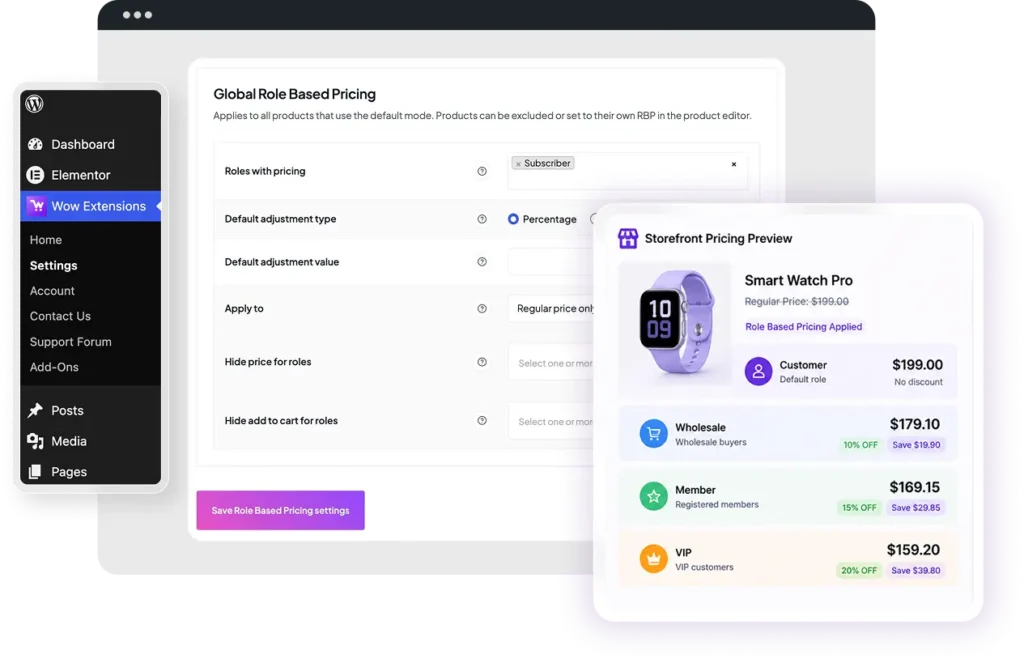
Set one default rule for all selected WordPress roles. Choose percentage or fixed amount — positive values discount, negative values markup. Leave value empty to skip adjustment.
Control whether the adjustment uses regular price, sale price, or whichever is active (both).

Selected roles see empty price HTML — useful for “login to see price” or catalog-only wholesale browsing.
Block purchase for selected roles: product becomes non-purchasable and add-to-cart buttons are removed on single product and shop pages.
When adjusted price is lower than regular, storefront shows strikethrough regular + adjusted price using WooCommerce sale formatting.
Configure on parent variable products; all variations inherit the same mode and override settings. Hooks both simple and variation calculated prices.
All global settings live under Wow Extensions → Settings → Role Based Pricing — not the old WooCommerce settings tab. Select2 multi-selects, inline help tips, conditional fields when roles are selected, and AJAX save support.
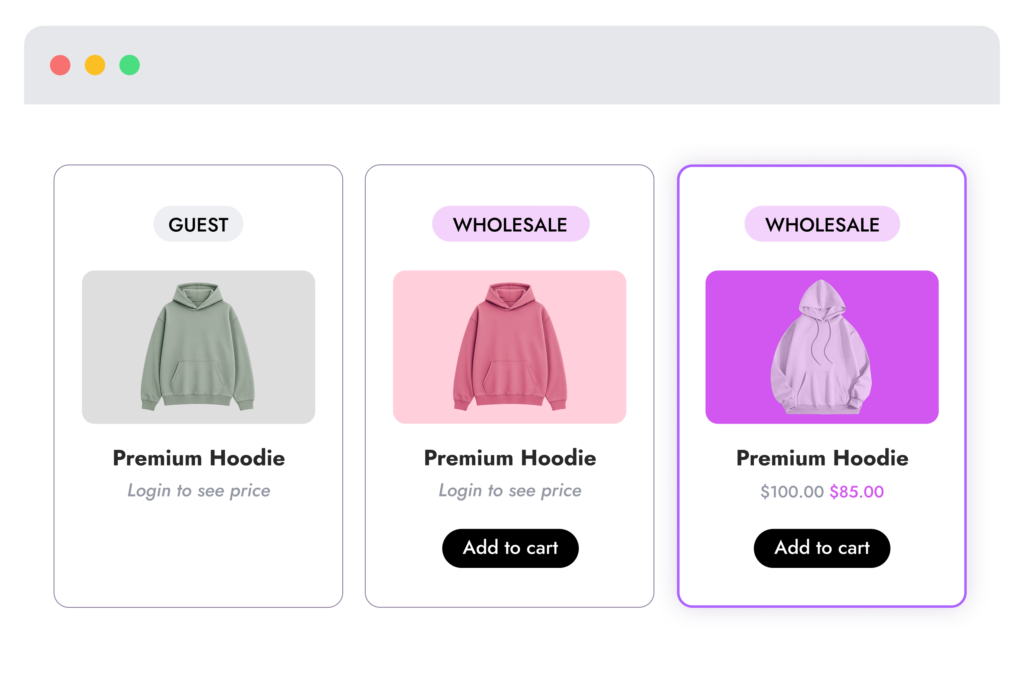
Same product page — different experience per logged-in role. Wholesale gets a discount, guests see hidden pricing, members see adjusted sale display.
Under Product data → General on simple and variable products.
Uses Wow Extensions dashboard Role Based Pricing settings. Default mode for most products.
Normal WooCommerce regular and sale prices apply — global default discount/markup is not applied.
Full copy of global fields for this product only: roles, adjustment type/value, apply to, hide price, hide add to cart. Prefilled from global when empty.
Stored in wowexfow_role_ pricing_settings. Saved via dashboard form or AJAX. Requires manage_woocommerce.
Activate Role Based Pricing on Wow Extensions → Home. It is enabled by default on plugin activation.
Select roles, set adjustment type and value, choose apply-to behavior, and configure hide price / hide cart lists.
Set Inherit, Exclude, or Override under Product data → General. Override exposes the full settings form on the product.
Role Based Pricing is a built-in extension — no separate license required. Install the core plugin and start configuring from the hub.
30-day money-back guarantee on all paid plans. Prices shown are placeholders for the static demo.
No. Logged-out users have no WordPress roles, so adjustments and hide rules do not apply.
The current version applies one default adjustment value to all roles in “Roles with pricing.” Use Override mode on specific products for different rules.
Yes. Set mode and override on the parent product; variations inherit parent settings.
Global: Wow Extensions → Settings → Role Based Pricing. Per-product override: product meta _wowexfow_rbp_product_settings.
Product selection and checkout on one page.
Customize billing, shipping, and additional fields.
Recurring products, renewals, and My Account.
Install the free core plugin today and enable Pro extensions when you’re ready to grow.
Powerful, modular extensions for WooCommerce — built for store owners, agencies, and developers.
Copyright @ 2026 Wow Extensions. All Rights Reserved.