Product selection and checkout on one page.
Modular tools for pricing, checkout, and subscriptions — all from one hub.
Wholesale, VIP, and member pricing rules
Product pick and checkout on one page
Custom billing, shipping, and order fields
Recurring products, renewals, and My Account
Advanced widgets and sliders for Elementor — build stunning, responsive pages faster.
24/7 assistance from our expert team.
Step-by-step documentation and in-depth guides covering every Wow Elements features
Fresh ideas, design trends, WordPress updates, and expert tips.
Track our journey of improvements, feature releases, and performance upgrades.
Have questions, feedback, or business inquiries? Reach out anytime
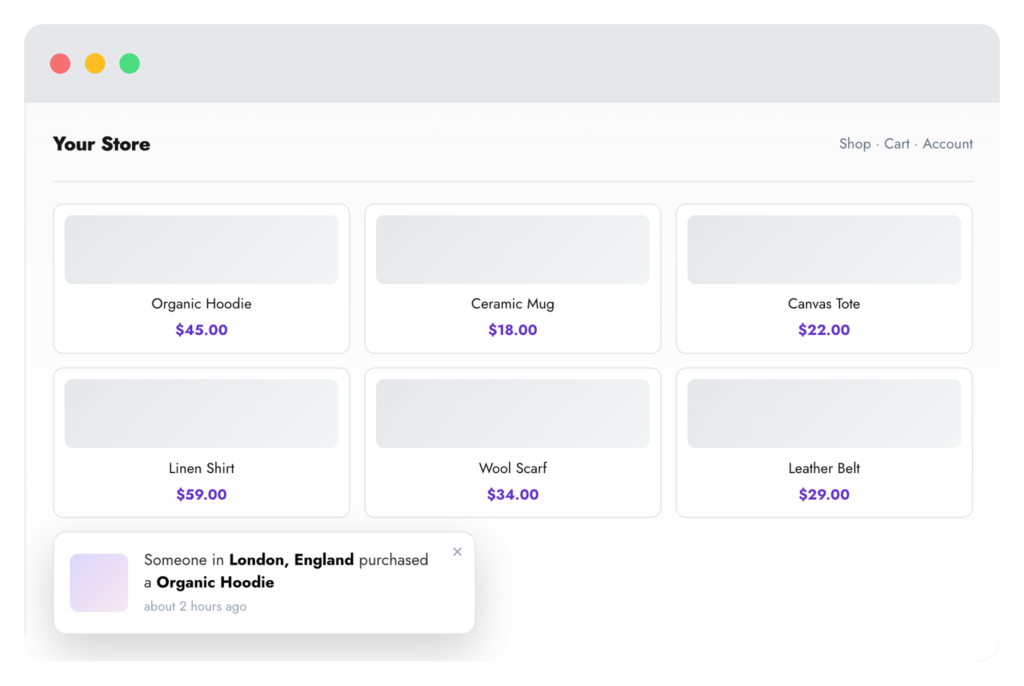
Build trust with social-proof purchase popups powered by real orders, latest products, hand-picked products or categories, and recently viewed items — with full control over message text, design, position, and timing.
Orders to recently viewed
Plus flat color styling
Any screen corner
Pull genuine recent purchases
Name, city, product, time ago
Partially hide customer info
Delay, duration, and loop
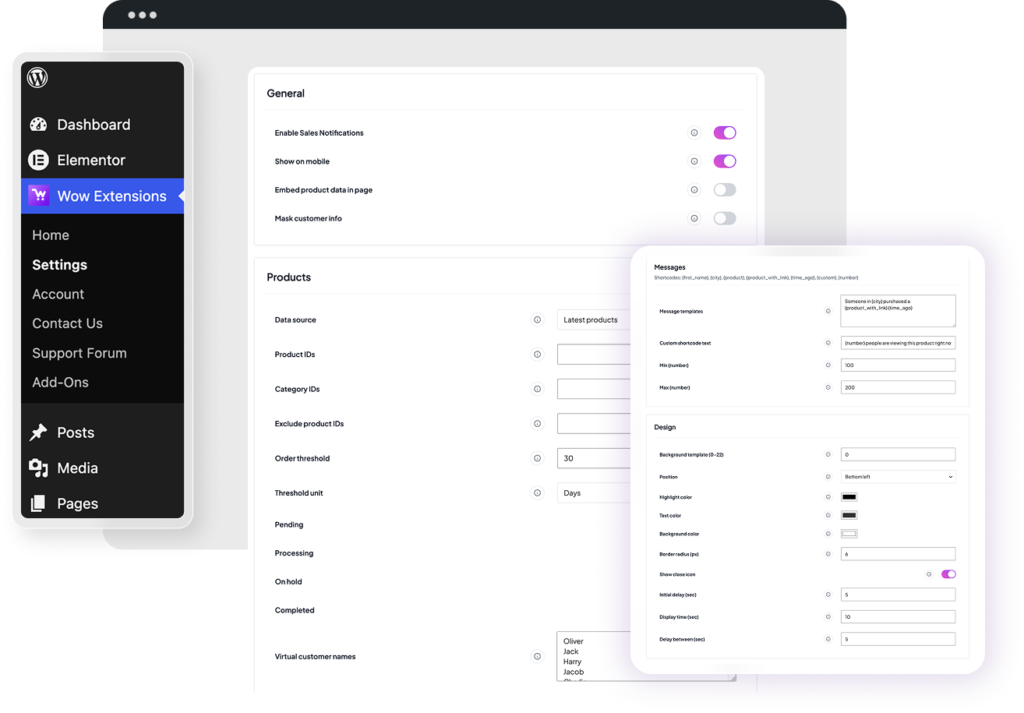
Choose where notification content comes from: real orders, latest products, selected products, selected categories, or recently viewed items.
Write one template per line and let the popup rotate through them using {first_name}, {city}, {product}, {product_with_link}, {time_ago}, {custom}, and {number}.
Mask names and locations in real-order notifications, or supply your own list of virtual customer names and cities — one per line.
Shows items the visitor has already looked at, tracked through the standard WooCommerce recently-viewed cookie (last 15 products).
Activate Sales Notifications on Wow Extensions → Home. It is enabled by default on plugin activation.
Choose real orders or curated products, set your order statuses and time window, then write the message templates shoppers will read.
Select a background template, colors, and corner, then set the initial delay, display time, and gap between notifications.
They can be. With the real-orders source, popups are built from actual WooCommerce orders in the statuses and time window you allow. The other sources show products instead, paired with your virtual name and city lists.
Yes. Turn on “Mask customer info” to partially hide names and locations in real-order notifications, or switch to a curated source that never touches order data.
Product payloads are cached in transients and served over a single AJAX request after the page loads. You can also embed the data inline to skip the request entirely.
When the close icon is enabled, closing a notification sets a cookie and no further popups are shown to that visitor.
In the wowexfow_sales_notification_settings option, managed from Wow Extensions → Settings → Sales Notifications.
Product selection and checkout on one page.

Customize billing, shipping, and additional fields.
Recurring products, renewals, and My Account.
Install the free core plugin today and enable Pro extensions when you’re ready to grow.
Powerful, modular extensions for WooCommerce — built for store owners, agencies, and developers.
Copyright @ 2026 Wow Extensions. All Rights Reserved.
